

Resource Center
How To Use The Wulf Grid 510 Thread Battery

Continue With This Resource
Wulf Mods Quick Brief
What You Should Know
A fast summary of the key points, questions, and guidance covered in this guide.
Overview
Key Takeaways
- Single button controls allow members of the Wulf Pack to swap between 2.8V, 3.2V, 3.6V, and 4.0V, with distinct color coded screen boxes for each tier.
- The top mounted 510 thread port fits cartridges of all widths, lengths, and liquid capacities.
- A quick 2 click command runs a 12 second warm up countdown that primes thick oil and clears cold clogs before drawing.
- Real time digital screen alerts identify battery percentage, short circuits, open circuits, and 15 second draw overtime cutoffs.
- Swabbing the top firing pin with isopropyl alcohol prevents sticky concentrate residue from causing connection misfires.
Questions This Resource Answers
- How do you turn on, operate, and shut down the Wulf Mods Grid 510 Battery?
- How do you change the 4 voltage settings on the Wulf Grid, and what do the screen colors mean?
- How do you activate the Wulf Grid pre-heat mode?
- What do the flashing light warnings mean when troubleshooting the Wulf Grid?
- What is the proper procedure for charging and cleaning the Wulf Grid?
Owners Guide
Owner Playbook
The full playbook below expands on the practical steps and tips behind this guide.
Ready to get started with your Wulf Mods Grid 510 Variable Voltage Battery? You’ve come to the right place, because in this Wulf Pack guide we’ll walk you through all of the basics on using your Wulf Grid 510 Thread Battery.
This way with a bit of help from Wulf, you’ll be able to fire up your sessions like a pro and enjoy every last bit of ferocity that the Wulf Grid has to offer you and your friends sessions!
In this owners guide we’ll walk you through everything from attach a cartridge, to cleaning your Wulf Grid, so that you have all of the information you need to enjoy the best from your clouds immediately.
Table of Contents:
Wulf Grid Quick Start Guide
1. Loading The Wulf Mods Grid
2. Using Your Wulf Mods Grid
3. Adjusting The Voltage On Your Grid
4. Pre-Heating Your Wulf Mods Grid
5. Charging the Wulf Mods Grid
6. Troubleshooting Your Wulf Mods Grid
7. How to Clean Your Wulf Mods Grid
Take Your Sessions Off The Grid
Wulf Grid Quick Start Guide
Looking to hit the trail immediately or are just tired of having to read so much? The Wulf Pack sees you, here is a fast breakdown covering the essential steps to getting your Wulf Grid up and running:
| STEP | ACTION | PRO TIP |
|---|---|---|
| 1. Attach Cart | Twist your 510 threaded cartridge directly into the battery base. | Twist gently until snug; do not over tighten! |
| 2. Power On | Click the square power button 5x rapidly. | The screen will boot up from bottom to top to confirm it is on. |
| 3. Set Voltage | Click the power button 3x to cycle through the 4 voltages. | Green (2.8v) is great for flavor; Pink (4.0v) is best for raw potency. |
| 4. Pre-Heat | Click the power button 2x to start a 12-second heating cycle. | Use this feature to soften up thick oils before your first hit. |
| 5. Hit It! | Hold down the square button and inhale smoothly. | The device will flash and cut off automatically if you hit it for over 15 seconds. |
1. Loading The Wulf Mods Grid
Looking to hit the trail with your Wulf Mods Grid and begin your cloud adventures?
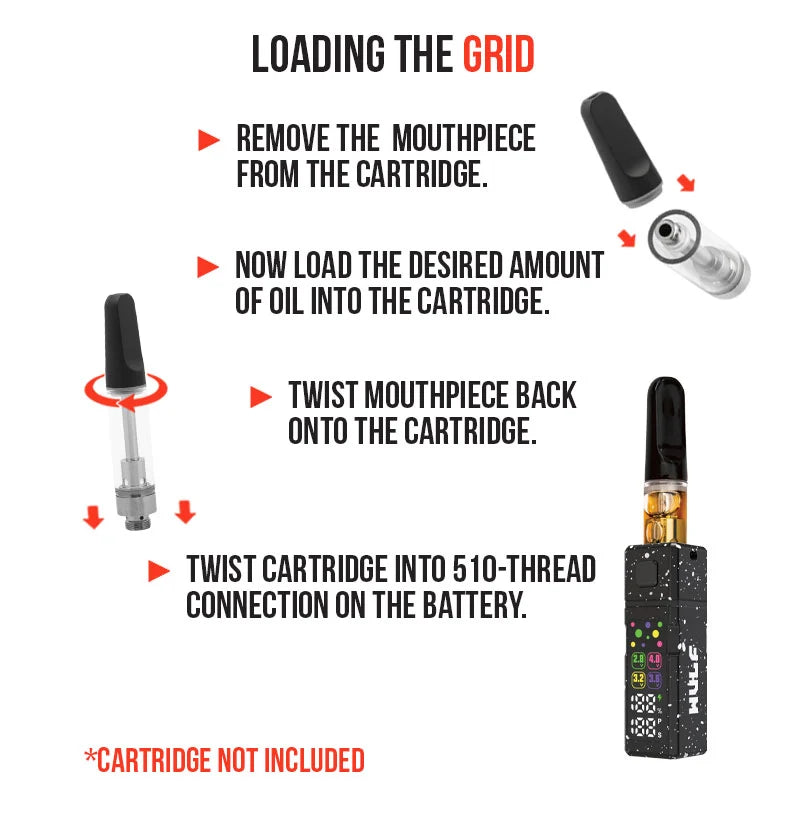
First things first, you’ll need to choose one of your 510 threaded cartridges to get started with. Luckily for the Wulf Pack, the Grid is compatible with any and all sized cartridges, so the sky’s the limit!
With your 510 threaded cartridge in hand, simply gently twist your cartridge into the threaded connection at the top of the battery until it has a nice, snug feel.
From here, you are all ready to proceed to the next step. Just remember to go slow and always double check your cartridge connection to ensure everything is set up correctly before plunging into your sessions.
2. Using Your Wulf Mods Grid
Ready for some fiery cartridge goodness? Get started with your session by first turning your Wulf Mods Grid on by pressing the square power button 5 times (5x) in a row.
This will cause your screen to boot up from bottom to top, indicating to you that you’re ready to start enjoying your clouds.
To hit your Wulf Mods Grid, simply hold down the square power button and draw from the mouthpiece of your cartridge to commence enjoying all the delicious flavors and raw potency!
When done, simply release the power button and your Grid will cease heating your cartridge and return to stand by mode. This provides on demand access, letting you enjoy your clouds at your own discretion with complete seamlessness.
The Wulf Mods Grid can be used for up to 15s each draw, after which your device will flash a warning to let you know you’ve reached the safety time limit. When you and your friends have enjoyed all the clouds you can handle, press the power button an additional 5x in a row to power down.
Your screen will slowly collapse downwards, letting you know your Wulf Mods Grid is all ready for travel or storage.
3. Adjusting The Voltage On Your Grid
The Wulf Grid comes with a selection of 4 different voltage settings in order to let you swap between flavor, potency, or a mixture of both.
In order to adjust the voltage, press the square power button 3 times (3x) in a row. This will cycle you to the next voltage in line. Keep pressing the 3x input to continue to cycle through the choices. Once you’re at the right level, stop pressing the button and allow your Wulf Grid to lock in.
For easy reference, each of the 4 available voltages has its own dedicated box and color on the screen, making identifying your setting easy:
- Green: 2.8v
- Yellow: 3.2v
- Purple: 3.6v
- Pink: 4.0v
In general lower voltages are going to produce more flavor, while higher voltages are going to be more potent. Keep this in mind while choosing your settings on the Wulf Grid to ensure you vapor is always exactly how you want it.
4. Pre-Heating Your Wulf Mods Grid
Want to add a bit more bite to your Wulf Mods Grid? Take advantage of the included 12s pre-heat function by pressing the square power button 2 times (2x) in a row.
This will start a countdown wherein your cartridge is slowly heated to perfection, melting thick oils and adding an immense amount of intensity to the following hit.
After the 12s countdown ends, take a hit as usual and get ready to blast off with a monumentally powerful cloud.
5. Charging the Wulf Mods Grid
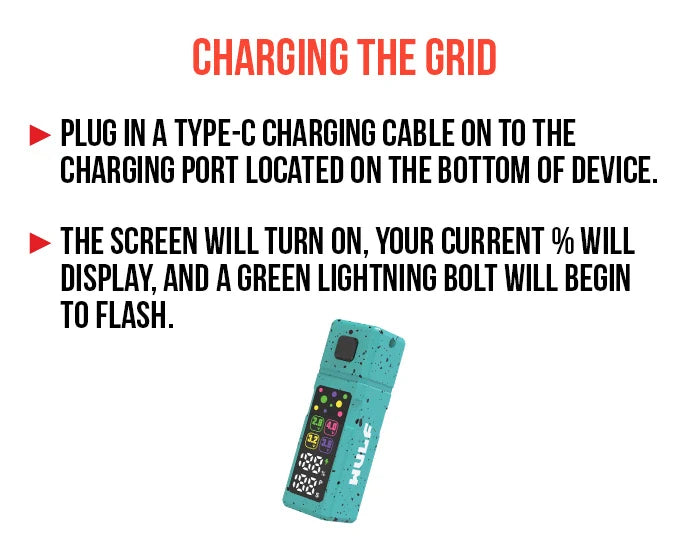
Keep the clouds rolling and your Wulf Pack satisfied by making use of the Wulf Mods Grid USB-C port.
When you’ve successfully plugged in your Grid, the screen will turn on, your current battery percentage will display, and a green lightning bolt will begin to flash.
The first time you charge your Wulf Mods Grid, make sure to leave it charging for a full two hours. Every time after the first, only ever leave the battery charging for an hour at a time. Anything over this can lead to a degraded battery lifespan and other internal issues.
6. Troubleshooting Your Wulf Mods Grid
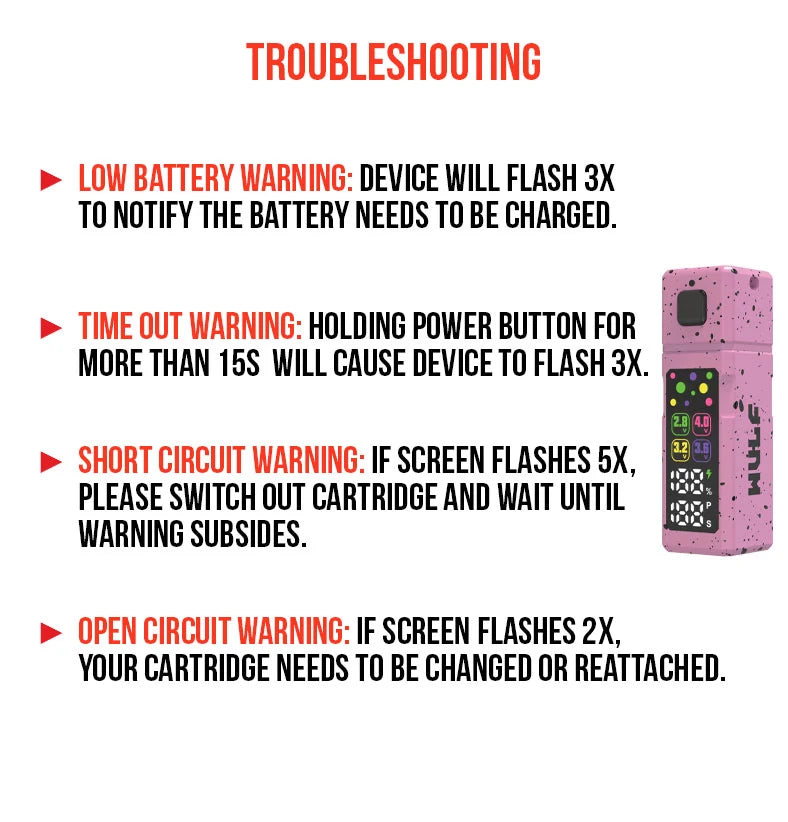
Heads up Wulf Pack, in order to get the most out of your Wulf Mods Grid, there are a few troubleshooting warnings that you should be aware of:
- Low Battery Warning: When your battery is too low to continue, your light will flash 3x in a row to let you know it’s time to charge.
- Time Out Warning: When you hold the power button for longer than 15s, the screen will flash 3x and cease to fire. Release the power button for a moment before continuing your session.
- Short Circuit Warning: If your screen flashes 5x when attempting usage, this indicates a short circuit. Please change out your cartridge and cease vaping until the warning subsides.
- Open Circuit Warning: If your screen flashes 2x, this indicates an open circuit. This means your cartridge needs to be changed or reattached snugly.
7. How to Clean Your Wulf Mods Grid
For optimal cloud production and expanded battery lifespan, Wulf Mods recommends taking the time to periodically clean your Wulf Mods Grid. Always make sure to double check that the battery is completely powered off (click 5x) before proceeding.
Remove the cartridge and make use of a cloth to wipe off any residual dirt on the body. For the 510 threaded connection, utilize a cotton swab dampened with isopropyl alcohol to gently rub off any oil build up and break away tough-to-remove stains.
Once complete, always leave ample time for your Wulf Mods Grid to 100% air-dry before continuing to use it, as firing the device while wet can lead to serious battery issues.
Take Your Sessions Off The Grid
Now that you know everything about using the Wulf Grid 510 Thread Battery, it’s time for you to choose your cartridge, assemble your squad, and dive head first into the deep end of some cloudy fun!
Have any more questions for Wulf? Take a look through the Wulf Resource Center for helpful guides just like this detailing all of our new releases and more. Thanks for choosing Wulf for your sessions and we welcome you to the Wulf Pack! Arooo!!!
Frequently Asked Questions
Owners Guide FAQs
Common questions related to this guide and how to apply the information when choosing your device.
How Do I Adjust The Voltage On My Wulf Grid Battery?
Why Is My Wulf Grid Display Flashing 2 Times When I Try To Take A Hit?
How Long Should I Charge The Wulf Grid USB-C Battery?
What Does The Pre-Heat Mode Do On The Wulf Grid?
Why Did My Wulf Grid Stop Heating Mid Draw And Flash 3 Times?
Wulf Mods Trust Center
About This Resource
Understand how this guide was researched, reviewed, and maintained by the Wulf Mods editorial team.
Editorial Standards
- Written for the people choosing and using these devices.
- Reviewed for clarity, accuracy, and practical retail value.
- Based on current manufacturer specifications and product documentation when available.
- Updated as products, regulations, category trends, or market conditions evolve.
- Built on deep, hands-on product experience.
- Designed to help you choose the right device with confidence.
Research Methodology
This owner guide was prepared to help you set up, use, and care for your device with confidence. Guidance is based on hands-on product experience, common questions, and real-world use.
- Hands-on product experience
- Setup and first-use guidance
- Cleaning, care, and maintenance
- Common questions and troubleshooting
- Safe and responsible use
- Real-world use considerations
- Editorial review for clarity and usefulness
Article Information
Intended Audience
- Everyday customers
- First-time buyers
- Experienced enthusiasts
- Dry herb users
- Concentrate users
- Anyone upgrading their setup
Editorial Policy
Wulf Mods educational resources are reviewed periodically to maintain accuracy and relevance. When product specifications, regulations, category trends, or market conditions change, articles may be updated with a new review date. Trusted product guidance.
Keep Exploring
Related Resources
Keep learning with related Wulf Mods resources selected to help you get more out of your device.
Owners Guide
Learn what the flashing lights mean on your Wulf Grid 510 Thread Battery troubleshooting guide and protect your battery during ...
Read Resource →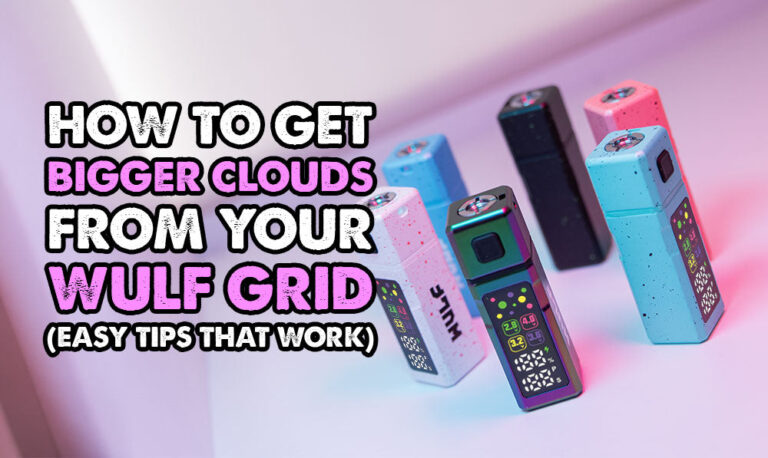
Owners Guide
Learn how to get bigger clouds with your Wulf Grid 510 Thread Battery with expert tips right from the Wulf Pack. Enjoy more fro...
Read Resource →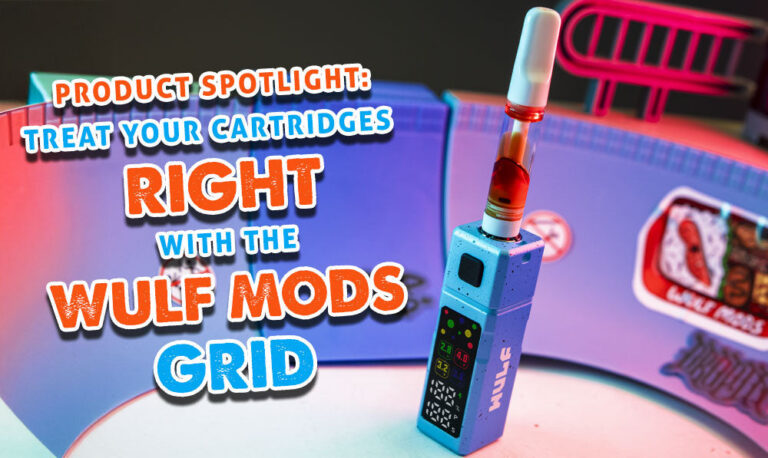
Product Launch
Arooo!!! The Wulf Pack grows once more with the arrival of our Wulf Mods Grid 510 Variable Voltage Battery! Learn all about the...
Read Resource →
Product Comparison
Find out the difference between Wulf Mods vs. No Name Vaporizers in this Wulf Pack exclusive. Join the Wulf Pack and treat your...
Read Resource →