

Resource Center
How To Use The Wulf Mods TRYP Mushroom Shaped 510 Thread Battery

Continue With This Resource
Wulf Mods Quick Brief
What You Should Know
A fast summary of the key points, questions, and guidance covered in this guide.
Overview
Key Takeaways
- The Wulf TRYP combines a soft, ergonomic silicone toadstool body with standard 510 universal thread compatibility for the ultimate easy access cartridge experience.
- Single button controls cycle through 4 distinct voltage tiers (2.8V to 4.2V) to balance terpene flavor and raw cloud size.
- The Wulf TRYP has a dedicated 12s pre-heat mode in order to warm thicker oils and provide added potency to sessions.
- Real time screen feedback displays battery percentage, voltage levels, and clear diagnostic error codes on your Wulf TRYP.
- Keeping your Wulf TRYP top 510 dish free of sticky oil leaks with isopropyl alcohol prevents connection misfires and short circuits.
Questions This Resource Answers
- How do you power on, operate, and shut down the Wulf Mods TRYP Mushroom Battery?
- What are the 4 voltage settings on the Wulf TRYP and how do you change them?
- How do you activate the 12 second pre-heat mode on the Wulf TRYP for thick cartridge oils?
- What do the flashing light error codes mean on the Wulf TRYP screen?
- What is the proper method for charging and maintaining the Wulf TRYP 510 Battery?
Owners Guide
Owner Playbook
The full playbook below expands on the practical steps and tips behind this guide.
Ready to kick off a magical mystery tour with your Wulf Mods TRYP Mushroom Shaped 510 Thread Battery? You’ve come to the right place, because the Wulf Pack is here to be your TRYP sitter and guide you to the most epic of clouds with ease.
Follow along with Wulf as we explain in depth how you can use your Wulf TRYP 510 Thread Battery to maximum effect and see just how far the rabbit hole goes with your favorite oil cartridges.
With over a decade ripping cartridges and developing batteries, the Wulf Pack has all of the knowledge you need to rip blinkers like a pro and fully send your Wulf TRYP sessions to an entirely new plane of cloudy existence.
So get ready to open your mind and learn the secrets to unlocking the best from your Wulf TRYP Mushroom Shaped Battery!
Table of Contents:
Wulf TRYP Quick Start Guide
1. Loading the TRYP
2. Using Your TRYP
3. Adjusting The Temperature On Your TRYP
4. Pre-Heating Your TRYP
5. Charging the TRYP
6. Troubleshooting Your TRYP
7. How to Clean Your TRYP
Have A Nice TRYP!
Wulf TRYP Quick Start Guide
Looking to start your trip quick? Here’s a fast breakdown covering the essential steps to getting your Wulf TRYP up and running:
| STEP | ACTION | PRO TIP |
|---|---|---|
| 1. Attach Cart | Twist your 510 threaded cartridge directly into the top of the mushroom cap. | Twist gently until snug; never over tighten and strip the threads! |
| 2. Power On | Click the power button 5x rapidly. | Click with purpose. The digital screen will illuminate to confirm it’s on. |
| 3. Set Temp | Click the power button 3x to cycle through the 4 voltages. | 2.8v is great for flavor; 4.2v is best for raw potency and massive clouds. |
| 4. Pre-Heat | Click the power button 2x to start a 12 second heating cycle. | Use this feature to soften up thick, stubborn oils before your first hit. |
| 5. Hit It! | Hold down the button and inhale smoothly from your mouthpiece. | Sip slowly! Drawing too hard pulls cold air in and reduces vapor size. |
1. Loading the TRYP
Before setting sail on your session, you’ll first have to choose your own adventure aka select a 510 threaded cartridge from your collection. Thanks to the open 510 threaded attachment, the Wulf TRYP is compatible with cartridges of any and all sizes.
No matter what type or brand of cartridge you’d like to enjoy, with the Wulf TRYP in hand you’ll be able to get things going in just seconds.
To do so, gently twist your cartridge into the 510 threaded connection on the top of your Wulf TRYP toadstool. Make sure to go slowly and avoid over tightening. Aim for a nice snug connection so that air can flow and your battery works as Wulf intended.
From here you’re all ready to rip with your TRYP!
2. Using Your TRYP
The Wulf TRYP Mushroom Shaped 510 Thread Battery utilizes single button operation in order to let you swap settings on the fly and control your entire session all with one hand.
Using Your TRYP:
- Power on (press the power button 5x)
- Press and hold power button (while inhaling from mouthpiece)
- Release power button when done
- Power off (press the power button 5x while on)
To get started using your Wulf TRYP you need to turn it on by pressing the power button five times (5x) in a row. When done correctly, your digital screen will flash to give you a little heads up notification.
From here, you can hold down the power button on your Wulf TRYP and inhale from the mouthpiece of your cartridge to enjoy a steady stream of vapor.
Control is on demand, so whenever you’ve had enough simply release the power button and your Wulf TRYP will go back to stand by mode. This allows you to casually pass the TRYP around with friends, letting everyone enjoy themselves at their own pace.
When your session is over, you can simply press the power button five times (5x) again to power off your Wulf TRYP battery. We recommend doing this before tossing it in your pocket or backpack to ensure no accidental firing while you’re on the move.
3. Adjusting The Temperature On Your TRYP
The Wulf TRYP features a choice of 4 unique voltage settings (2.8, 3.2, 3.6, 4.2v) in order to unlock the full spectrum of vapor experiences ranging from chill low voltages, all the way to intense higher settings.
To adjust voltage on your Wulf TRYP press the power button three times (3x) to cycle to the next level in line. Keep pressing the power button three times to continue cycling through the various options, with 4.2v rolling over to 2.8v in a loop.
Once you’ve reached your desired voltage on the Wulf TRYP, simply stop pressing the button and your settings will lock in. Now when you press and hold the power button to use your Wulf TRYP it will fire up with your newly adjusted voltage level.
For easy reference, your current voltage level will be displayed on the digital screen of your Wulf TRYP.
4. Pre-Heating Your TRYP
For added potency and to deal with thicker oils, the Wulf TRYP has a 12 second pre-heat function available. This slowly warms your oils, teeing you up for a truly exceptional experience marked by the most ferocious of potency.
To activate the pre-heat on your Wulf TRYP press the power button two times (2x) in a row. This will prompt TRYP to slowly and gently heat your cartridge for 12 seconds, all without you needing to hold the button.
Once the 12 second countdown is complete, hold down your power button and draw from your mouthpiece as normal, all to enjoy your Wulf TRYP with a perfectly primed hit.
If you need to cancel your pre-heat, simply press the power button an addition two times (2x) while the countdown is progressing in order to stop the heating and return to standby mode.
5. Charging the TRYP
To charge your Wulf TRYP, use the convenient USB-C port located on its side. When plugged in correctly, your digital screen will display your current battery percentage level alongside a flashing number to indicate it is actively receiving power.
Once the screen reaches 100%, your TRYP is fully charged. To protect the lifespan of the internal battery, unplug the device promptly once it is finished charging and do not leave it plugged in unattended overnight.
Never charge your Wulf TRYP longer than an hour and always be present while it’s plugged in. This way if anything happens or you reach 100% early, you’ll be able to immediately remove the charger.
6. Troubleshooting Your TRYP
While your Wulf TRYP can’t talk to you (at least not yet) it’s important to know what it’s flashing lights and troubleshooting warnings mean. This way if any pop up during your session you don’t have a bad trip, but can fix the issues with ease.
Take a look below at the built-in troubleshooting warnings that can arise on your TRYP so you can fix them instantly.
- Safety Cutoff: To prevent overheating, your device will flash red 3x and stop warming if you hold the button too long. Release the power button and press it again to continue your session.
- No Load: The TRYP LED indicator will flash red 2x if the cartridge is not connected correctly. Examine your cartridge and ensure it is threaded in securely.
- Short Circuit: The button indicator will flash 5x if your battery experiences a short circuit. Cease using your device, remove the cartridge, and clean the connection points.
- Low Battery: Your digital screen will flash 3x to let you know your battery is at 0%. This is a reminder to plug in your device to continue seshing.
- Open Circuit: The LED indicator on your TRYP will also flash red 2x to inform you of an open circuit issue (meaning the coil inside the cart is likely broken). To fix this, change out the cartridge entirely.
7. How to Clean Your TRYP
If you want your TRYP to last through countless adventures, keeping the 510 connection clean is an absolute must. Resin buildup acts as an electrical insulator and will eventually cause the short circuit errors mentioned above.
In order to clean your TRYP, first power off the device completely and then unscrew the cartridge from the top. Never attempt to clean your TRYP while powered on and always remove your cartridge in order access the vital 510 threads.
Take a Q-tip or cotton swab and dampen it with some isopropyl alcohol. Use the swab to clean the threads of your Wulf TRYP and remove any stickiness that’s accumulated on the body.
Once completed, leave your TRYP out to air-dry so that 100% of the moisture can evaporate before you attempt to attach a cart and fire up the battery for a brand new session.
Have A Nice TRYP!
With its soft, ergonomic silicone body, precision digital display, and heavy hitting variable voltage, the Wulf Mods TRYP Mushroom Shaped 510 Thread Battery is ready to elevate your night in the best way possible.
By mastering the quick click controls and keeping your connections clean, you’ll be blowing massive, flavorful clouds with your Wulf TRYP Mushroom Shaped 510 Thread Battery for many an adventure to come.
Have any more questions for the Pack? Make sure to check out the Wulf Resource Center for more helpful tips, tricks, and guides detailing how to get the most from all of our latest releases.
Thanks for choosing Wulf for your sessions and welcome to the Wulf Pack! Stay howling out there y’all! Arooo!!!
Frequently Asked Questions
Owners Guide FAQs
Common questions related to this guide and how to apply the information when choosing your device.
How Do I Adjust The Voltage On My Wulf TRYP Mushroom Battery?
Why Is My Wulf TRYP Flashing Red 2 Times When I Try To Take A Hit?
What Does The 12 Second Pre-Heat Function Do On The TRYP?
How Long Should I Charge The Wulf TRYP Battery?
Can A Dirty 510 Thread Port Cause My TRYP To Flash A Short Circuit Warning?
Wulf Mods Trust Center
About This Resource
Understand how this guide was researched, reviewed, and maintained by the Wulf Mods editorial team.
Editorial Standards
- Written for the people choosing and using these devices.
- Reviewed for clarity, accuracy, and practical retail value.
- Based on current manufacturer specifications and product documentation when available.
- Updated as products, regulations, category trends, or market conditions evolve.
- Built on deep, hands-on product experience.
- Designed to help you choose the right device with confidence.
Research Methodology
This owner guide was prepared to help you set up, use, and care for your device with confidence. Guidance is based on hands-on product experience, common questions, and real-world use.
- Hands-on product experience
- Setup and first-use guidance
- Cleaning, care, and maintenance
- Common questions and troubleshooting
- Safe and responsible use
- Real-world use considerations
- Editorial review for clarity and usefulness
Article Information
Intended Audience
- Everyday customers
- First-time buyers
- Experienced enthusiasts
- Dry herb users
- Concentrate users
- Anyone upgrading their setup
Editorial Policy
Wulf Mods educational resources are reviewed periodically to maintain accuracy and relevance. When product specifications, regulations, category trends, or market conditions change, articles may be updated with a new review date. Trusted product guidance.
Keep Exploring
Related Resources
Keep learning with related Wulf Mods resources selected to help you get more out of your device.
Product Launch
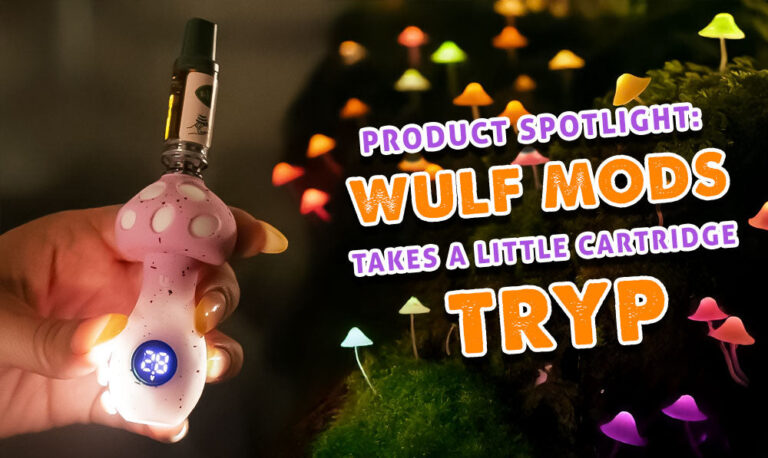
Wulf Mods is feeling like a fun-guy today because we've chilling on some cartridges with our brand new TRYP Mushroom Shaped Var...
Read Resource →
Brand Guide
Wondering what Wulf is? Find out the who, what, when, and why of Wulf Mods as part of our 15th anniversary celebration! Learn t...
Read Resource →
Category Guide
New to vaping and wondering what a vape pen is in 2026? Find out the answer to what a vape pen is right here with Wulf and get ...
Read Resource →
How-To
Find out everything there is to know about 510 threaded batteries in this Wulf Help Center exclusive!
Read Resource →