

Resource Center
How To Use The Wulf Mods Recon 4G Dual 510 Thread Battery

Continue With This Resource
Wulf Mods Quick Brief
What You Should Know
A fast summary of the key points, questions, and guidance covered in this guide.
Overview
Key Takeaways
- The Wulf Mods Recon 4G utilizes a durable, concealed chamber designed to safely house and protect up to two 2G 510 cartridges at the exact same time.
- A physical toggle switch on the base of the battery allows users to instantly shift between firing the left cartridge, the right cartridge, or both cartridges simultaneously for custom flavor blending.
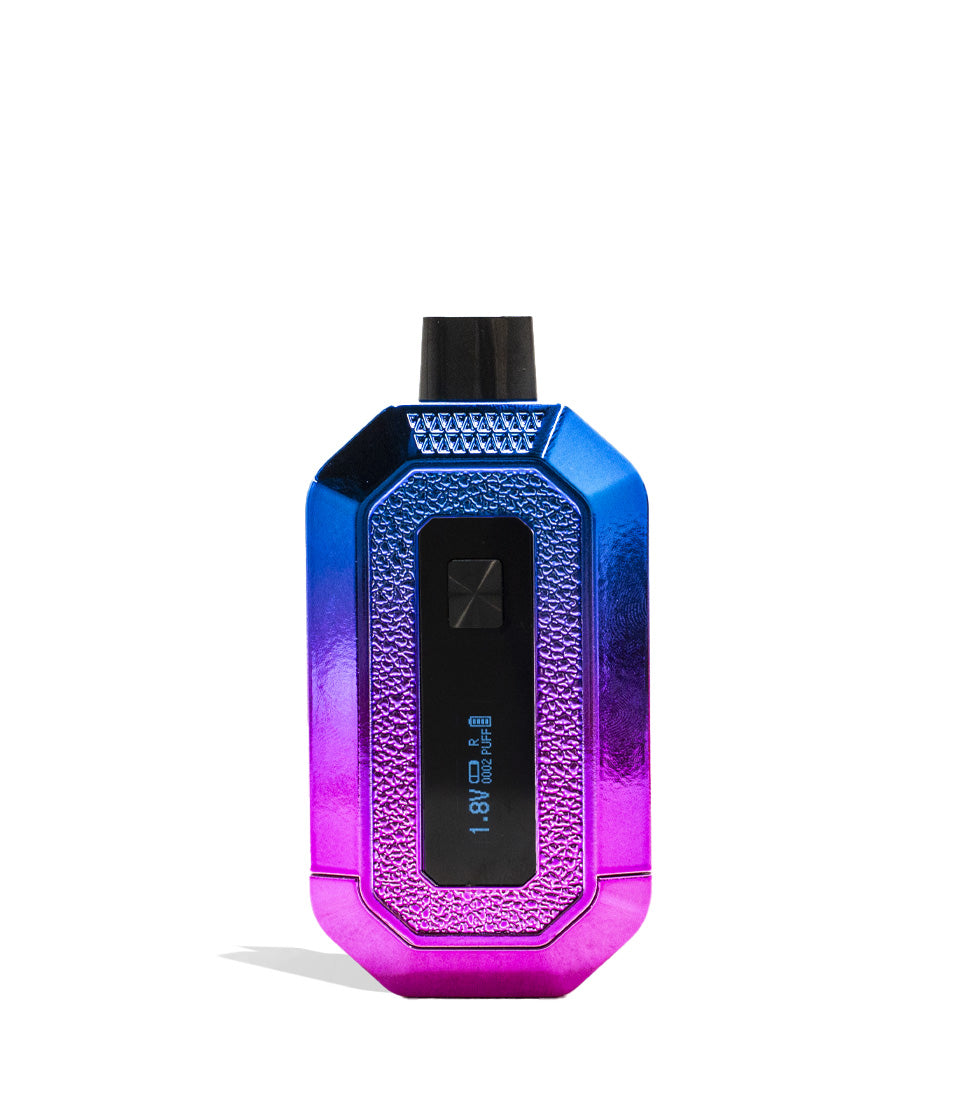
- The integrated OLED display provides a crisp, real-time dashboard tracking your exact battery percentage, active cartridge selection, puff count, and voltage level.
- Single-button operation makes it incredibly easy to cycle through five optimized voltage presets ranging from 1.8V for delicate live resin up to 4.2V for maximum cloud volume.
- Routinely swabbing the removable magnetic base plate and gold contact pins with 91% or higher isopropyl alcohol eliminates electrical resistance and prevents "no atomizer" connection errors.
Questions This Resource Answers
- How do you load oil cartridges into the concealed body of the Recon 4G?
- How does the physical L/R/D toggle switch control your vaping session?
- How do you change the voltage settings on the OLED screen?
- What is the proper way to reset the digital puff counter?
- Why does the OLED screen flash five times and cut power while inhaling?
Recommended Products
Shop 510 Thread Batteries
Browse the products featured in this guide.
Owners Guide
Owner Playbook
The full playbook below expands on the practical steps and tips behind this guide.
Wulf Mods Recon 4G Dual 510 Thread Battery in hand and ready to dive headfirst into your cloudy adventures with the rip roaring ferocity of TWO cartridges?
You’ve come to the right place! Wulf is here to break down exactly how to unleash this dual cartridge Recon 4G beast, with step-by-step instructions that will have you blowing massive double-barrel clouds in no time.
With an entirely new world of flavor combinations to dive into, the Wulf Recon 4G is here to revolutionize your sessions with it’s dual cartridge capacity providing unlimited combos for you to try. That’s why in order to ensure you get the absolute most from this double potential, the Wulf Pack is going to walk you through the entire process of using your Wulf Recon 4G.
By the end of this guide, you’ll know everything there is to know about operating your Wulf Recon 4G, from loading and switching carts to fine tuning voltage settings, once you’re done with our guide you’ll be able to rip double barrel cartridges like a pro. Let’s get into it! Arooo!!!
Table of Contents:
Wulf Recon 4G Quick Start Guide
1. How To Charge The Recon 4G
2. How To Load Cartridges Into The Recon 4G
3. How To Power On / Off & Read The OLED Screen
4. How To Adjust Voltage Settings
5. How To Pre-Heat Your Cartridges
6. Cartridge Selection & Vaping (L, R, D Toggle)
7. Using & Resetting The Puff Counter
8. How To Troubleshoot The Recon 4G
9. How To Clean The Recon 4G
Enjoy Your Wulf Recon 4G!
Wulf Recon 4G Quick Start Guide
In a rush to experience double-barrel cloud power? Here is your fast-track cheat sheet to operating the Wulf Mods Recon 4G Dual 510 Thread Battery:
| # | STEP | HOW TO | WULF PRO TIP |
|---|---|---|---|
| 1 | Charge Battery | Plug into USB-C until the OLED display reads 100% (max 1.5 hours). | Never leave your Recon 4G plugged in longer than 1.5 hours or unattended overnight. |
| 2 | Load Cartridges | Pull off the magnetic base and thread in up to two 2G cartridges. | Magnetic polarity only allows one-way insertion; if resisted, flip the base around! |
| 3 | Power On / Off | Press the power button 5 times rapidly (5x). | Screen flashes “Recon 4G” before showing voltage, puff count, and battery level. |
| 4 | Set Voltage | Click power button 3x, then tap to cycle through 5 voltage levels. | Pause on your target volt (1.8V to 4.2V) and the home screen will lock it in. |
| 5 | Pre-Heat | Tap the power button 2 times (2x) to trigger a 10s countdown. | When the screen flashes at 10, your oils are perfectly liquefied for a fat rip. |
| 6 | Select & Vape | Flip the bottom toggle to L, R, or D; hold the power button and inhale. | Setting the toggle to “D” fires both carts at once for maximum cloud blending! |
| 7 | Reset Puffs | Click the power button 4 times rapidly (4x). | Resets your counter back to “0000” for precise daily dose tracking. |
1. How To Charge The Recon 4G
Powering this two chambered cloud machine is a dependable 650mAh internal battery designed to handle the heavy demands of firing two oil cartridges at once. As a result, in order to get the most from your Wulf Recon 4G you’ll need to make sure you’ve got enough juice to power up your battery.
When connected to a compatible USB-C power source, the Recon 4G’s crisp OLED screen will display an animated loading bar alongside an exact percentage readout so you always know where your power level stands.
Charging Guidelines:
- Initial & Routine Charge: Charge your Recon 4G for roughly 1.5 hours or until the OLED display reads 100%.
- Avoid Overcharging: Never leave your Recon 4G plugged in for longer than 1.5 hours at a time to prevent battery degradation, overheating, and board wear.
- Always use a standard 5V wall block or computer port; avoid high-output fast chargers, and never leave your Wulf Recon 4G charging unattended overnight.
Charging your Wulf Recon 4G is made super convenient thanks to the USB-C compatibility allowing you to charge your battery with a wide variety of commonly found cables. Just be sure to stay present while everything is charging and unplug your battery once it reaches 100% to ensure the longest lifespan.
2. How To Load Cartridges Into The Recon 4G
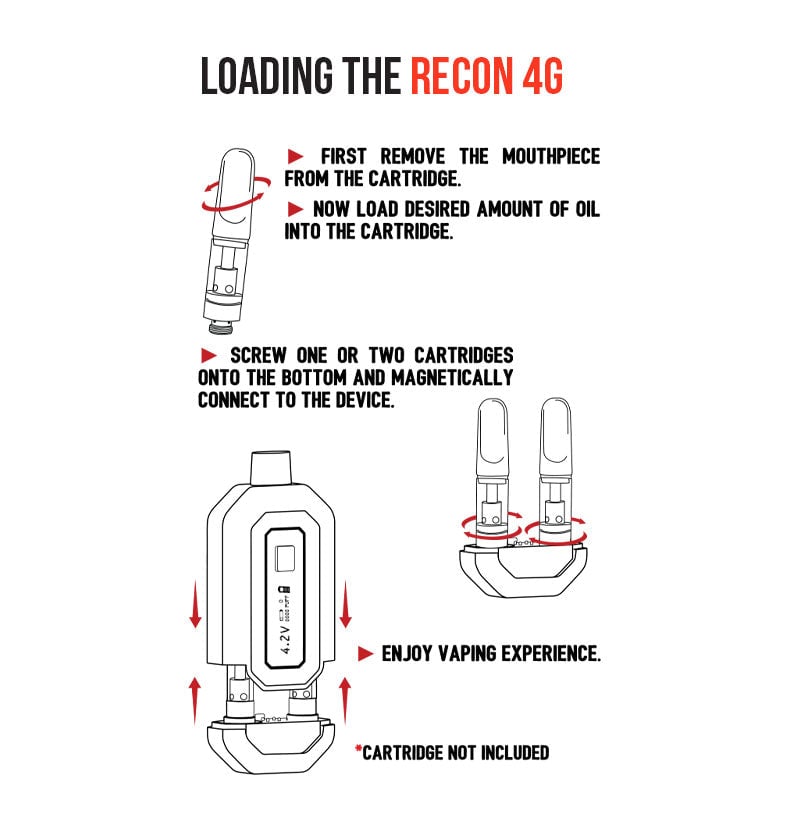
The Wulf Recon 4G is built to conceal and protect up to two 2 gram cartridges (or single cartridges if you’re running solo), shielding your glass tanks inside an impact resistant body with textured ergonomic hand grips. Thus in order to load the Wulf Recon 4G, you’ll have to remove the bottom component and access your dual cartridge connections.
Loading Steps:
- Ensure your 510 cartridges are clean and free of sticky oil residue on the base threads.
- Firmly pull the magnetic bottom base piece away from the Recon 4G body to expose the dual 510 threaded ports.
- Screw your cartridges clockwise into the ports until they sit flush against the base plate. Ensure they are snug without overtightening.
- Slide the loaded magnetic bottom piece back into the chassis. When seated properly, you will hear a satisfying click as the magnetic seal locks.
Remember to take your time while attaching your 510 threads in order to ensure everything is firmly connected and there’s no issues with heat transfer during your sessions.
Also important is the basic fact that the Wulf Recon 4G is only compatible with cartridges up to 2G in size, anything larger is at risk of not fitting inside the concealed body. Make sure to keep this in mind when choosing cartridges for your Wulf Recon 4G in order to avoid any disappointment come session time.
Other than that, the world is your oyster with a Wulf Recon 4G and you can use any brand, type, or strain of cartridge that you’d like to. This leaves the door open to for a ton of different combinations and the ability to freely swap between flavors, experiences, and other factors with ease.
3. How To Power On / Off & Read The OLED Screen
The Wulf Recon 4G utilizes standard single button operation and is controlled via a series of clicks. This makes for a convenient way to enjoy your clouds, letting you do everything from adjust voltages to powering on your battery all with one hand.
Powering On:
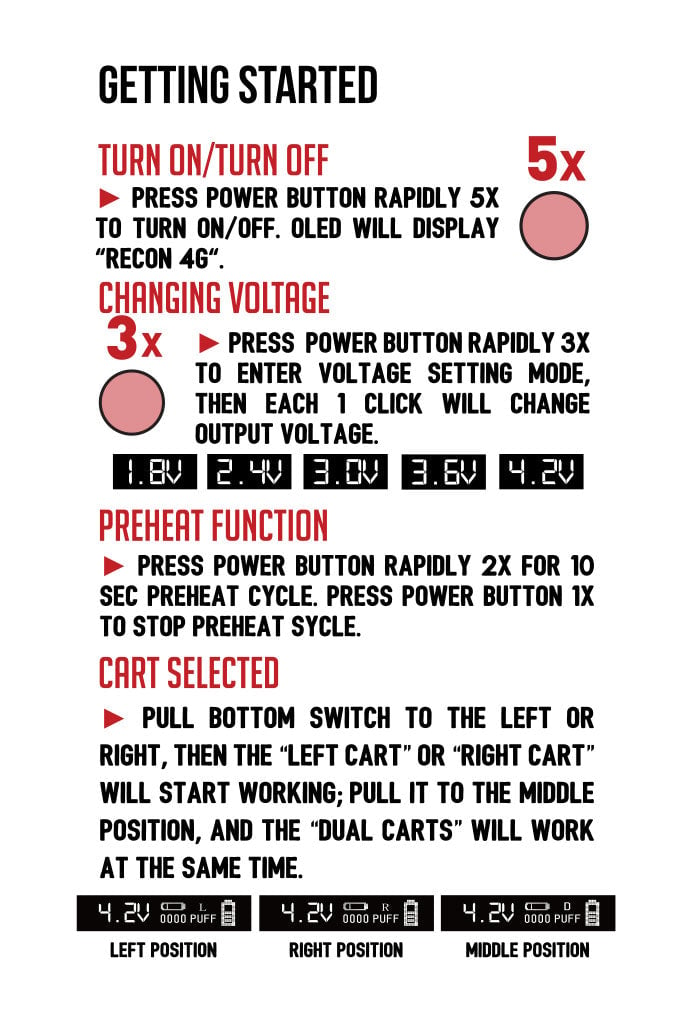
Press the power button 5 times rapidly (5x). The screen will greet you with a “Recon 4G” startup banner before switching to your main home dashboard.
Reading Your Home Screen:
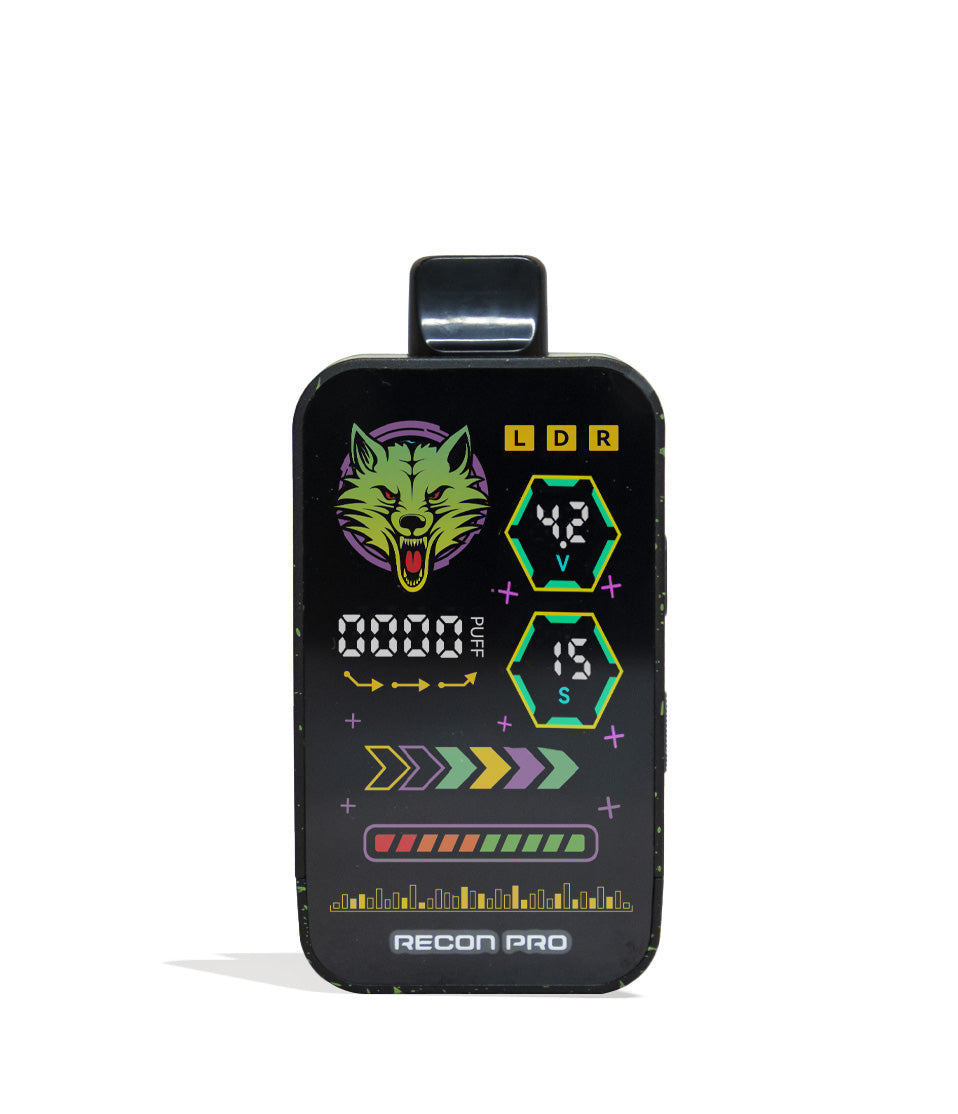
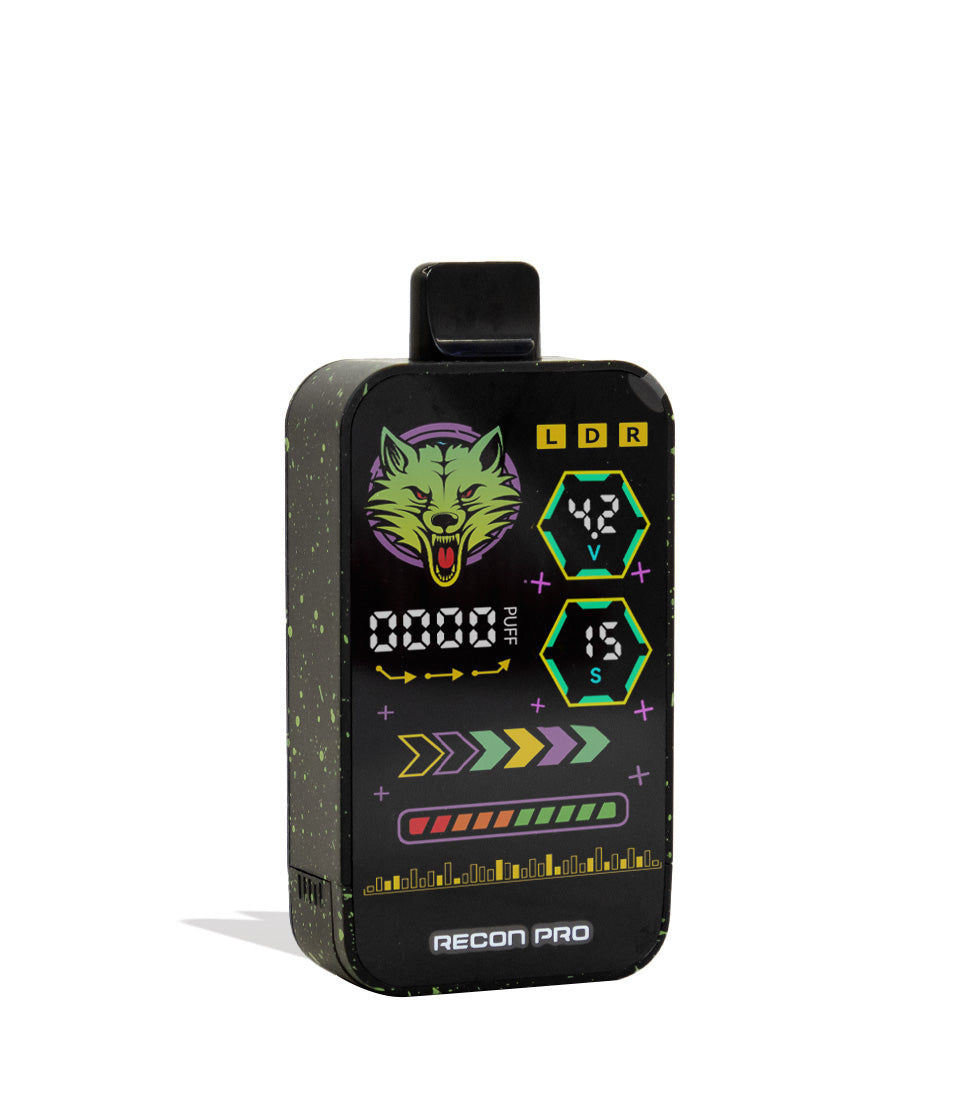
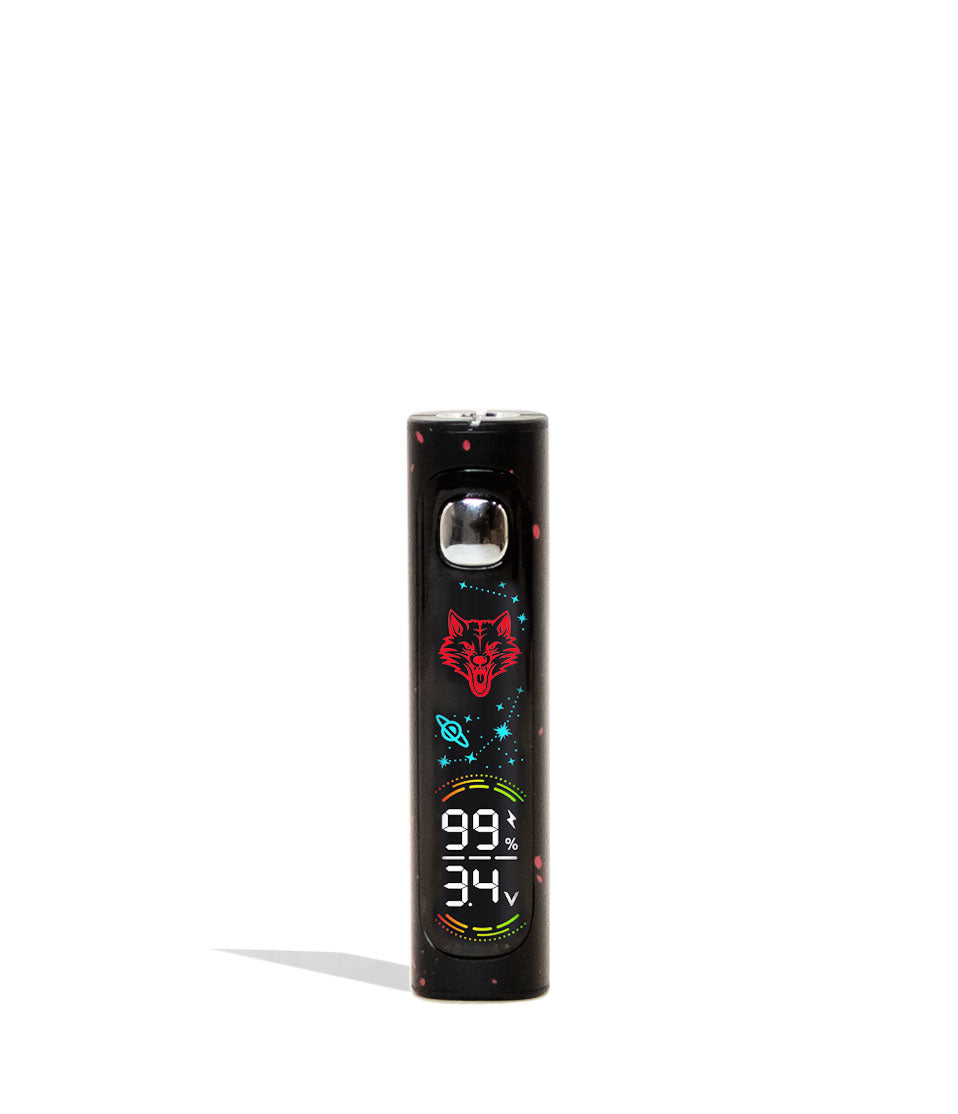
At a glance, the display keeps you in complete command of your session:
- Voltage Setting: Large numerical readout accompanied by a “V” on the left.
- Cartridge Position: Letter indicator (L, R, or D) showing active firing mode.
- Puff Counter: Numerical hit tracker located directly beneath the cartridge letter.
- Battery Percentage: Clear battery gauge keeping you ahead of recharges.
Powering Off:
When your session wraps up, click the power button 5 times in a row (5x) to shut down the screen and lock the battery before slipping it into your pocket or bag.
With just a couple of clicks you’ll be well on your way to enjoying top tier double cartridge vaping, allowing for on-demand access without any complicated steps slowing your roll.
4. How To Adjust Voltage Settings
To cater to everything from delicate live rosin extracts to high viscosity distillates, the Recon 4G offers 5 fixed voltage settings: 1.8V, 2.4V, 3.0V, 3.6V, and 4.2V. This provides you with a wide range of customizability, letting you dial in on either flavor, potency, or a mixture of both with all of your cartridges.
How to Cycle Voltage:
- From the home screen, press the power button 3 times rapidly (3x).
- The OLED display will switch to a dedicated, full-screen voltage menu.
- Click the power button to cycle through the 5 available heat presets.
- Once you reach your desired voltage, pause for a moment without pressing anything.
- The screen will automatically return to the home screen with your new voltage locked in on the left side.
As a quick Wulf Pack tip, lower voltages (1.8V–2.4V) emphasize rich terpene flavor profiles; higher voltages (3.6V–4.2V) deliver heavy hitting potency and dense cloud volume. Keep this in mind while choosing your voltage and you’ll be able to know exactly what you’re doing with your Wulf Recon 4G, able to customize every puff just how you want it.
5. How To Pre-Heat Your Cartridges
If you want to take things to the next level (or just warm clogged / thick / cold oils) then you can use the Wulf Recon 4G 10s pre-heat function. This slowly warms your cartridges at a low voltage, setting you up for a grand slam hit that’s more potent than ever.
Pre-Heating Steps:
- Tap the power button 2 times in a row (2x).
- The OLED display will shift to an active 10-second countdown screen.
- When the countdown finishes, the screen will flash to let you know the coils are warmed and ready.
- Take your hit immediately to enjoy an extra-spicy, primed cloud with zero draw resistance!
Always make sure to wait the full 10s pre-heat in order to get the best results. Cutting it short or stopping half way can result in muted vapor that doesn’t live up to the full potential of pre-heating. Once the pre-heat is done however, simply use your Wulf Recon 4G as normal to enjoy the fruits of your patience.
6. Cartridge Selection & Vaping (L, R, D Toggle)
The standout feature of the Wulf Recon 4G is its physical selector switch, located conveniently on the bottom of the device directly above the USB-C charging port. This allows you to switch between which cartridge you want to use (yes, the Wulf Recon 4G works with only one cartridge attached) or combine them together for the extra spicy dual hits.
Using the Switch:
- L (Left): Powers only the left cartridge port. Perfect for solo sessions or pacing yourself.
- R (Right): Powers only the right cartridge port. Allows you to alternate flavors without unscrewing hardware.
- D (Double): Ignites both cartridges simultaneously! Firing dual carts doubles your heating surface area, unleashing room-filling vapor clouds and allowing you to blend custom strain flavors together.
To verify your selection without looking at the bottom of the vape, simply check the letter (L, R, or D) displayed right above the puff counter on your OLED home screen.
Once you’ve selected your cartridge setting, you can now move onto actually using your Wulf Recon 4G. Hold down the power button, inhale smoothly from the mouthpiece, and release the button when you’ve had your fill!
Using the Recon 4G:
- Press and hold the power button while inhaling from the mouthpiece
- Enjoy a steady stream of lush vapor
- Release the power button once you’ve had your fill (15s max duration)
This push to fire operating makes the Wulf Recon 4G incredibly easy to use, letting you focus entirely on the epic cloud combinations your creating, and less on fighting with your controls. Simply press, hold, and inhale to start puffing away on your Wulf Recon 4G like a pro.
7. Using & Resetting The Puff Counter
Whether you’re tracking your daily intake or monitoring how many hits remain in your 2G carts, the built-in puff counter on the Wulf Recon 4G takes the guesswork out of dosing and allows you to maintain much greater control over your seshing.
The puff counter is displayed as a four-digit number directly beneath your cartridge indicator on the home screen. To clear your count at the start of a new cart or fresh session, press the power button 4 times rapidly (4x). The display will instantly reset to “0000”.
Reseting The Puff Counter:
- Press the power button 4x quickly
- When done correctly, counter returns to zero
- Once input, there’s no going back, so be careful
Four quick clicks and the puff counter is ready for a fresh session. Just keep in mind that once your counter resets, there is no way to revert back to the old count. So make sure you’re ready to turn a new page with your Wulf Recon 4G and you’re puff counter will work exactly as you need.
8. How To Troubleshoot The Recon 4G
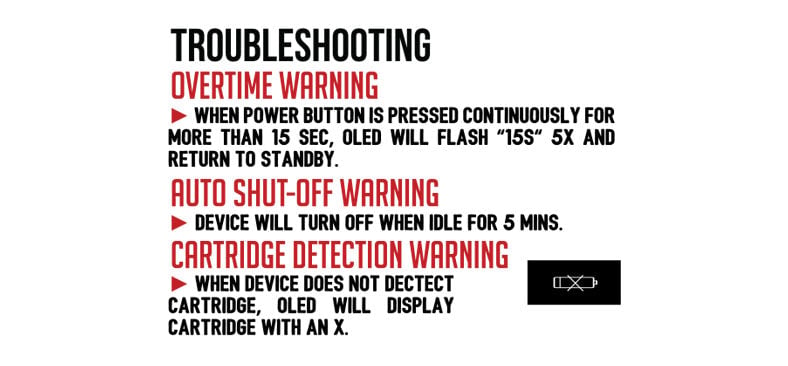
The Recon 4G includes automated diagnostic alerts built into the OLED screen to protect your hardware and keep your sessions hassle-free:
- Overtime Warning (15-Second Cutoff): If the power button is held down for longer than 15 seconds, the OLED screen will flash 5 times (5x) and cut power before safely returning to standby. This prevents burnt wicks and accidental pocket-firing.
- Auto Shut Off (5-Minute Timer): If left idle for more than 5 minutes, the device powers down automatically to conserve battery life. Press 5x to turn it back on.
- Cartridge Detection Warning: If you try to fire the device with no cartridges loaded, or if the toggle switch is flipped to an empty chamber (e.g., set to “L” with only a cart in the right port), the screen will alert you that no atomizer is detected. Verify both cartridges are threaded properly and your toggle matches your loaded port.
Never ignore these trouble shooting warnings and make sure to take care of them immediately. This way you can protect the integrity of your Wulf Recon 4G and enjoy a lifetime of sessions from your new double cartridge 510 battery hero! Arooo!!!
9. How To Clean The Recon 4G
Because the Recon 4G houses two high capacity cartridges inside a concealed chamber, routine maintenance keeps vapor flowing freely and prevents oil buildup from interfering with electrical contact.
Cleaning Procedure:
- Power off the Recon 4G completely (5 clicks) and remove both cartridges from the base plate.
- Use an antibacterial wipe or microfiber cloth to clean the mouthpiece opening, clearing away pocket lint and condensation.
- Dip a cotton swab into 91%+ or 99% isopropyl alcohol (squeeze out excess so it is lightly damp).
- Gently swab both 510 threaded connections on the base plate to dissolve sticky oil reclaim and ensure gold contact pins remain conductive.
- Allow all parts to air-dry for 10 to 15 minutes before reassembling and vaping. Never fire the device while wet with alcohol!
Isopropyl alcohol is going to be your best friend here, as the solvent is perfect for getting rid stubborn stickiness that just won’t go away. So make sure to have some and swabs at the ready, this way you can always guarantee your Wulf Recon 4G is ready to rip when you need it most.
Enjoy Your Wulf Recon 4G!
With its 4G total capacity, crisp OLED screen, 5 voltage presets, and instant L/R/D cartridge toggle, the Wulf Mods Recon 4G Dual 510 Thread Battery is built to dominate your daily sessions. Mix your favorite flavor profiles, blast off in double mode, and enjoy seamless, drop-resistant cartridge vaping wherever your adventures lead.
Keep your 510 threads clean, watch your puff counter, and let the Recon 4G lead your pack to the ultimate dual-cartridge experience. Have more questions? Explore the Wulf Resource Center for in-depth owner guides, hardware tips, and new release breakdowns. Welcome to the Wulf Pack! Stay howling out there! Arooo!!!
Frequently Asked Questions
Owners Guide FAQs
Common questions related to this guide and how to apply the information when choosing your device.
Can I run the Recon 4G with just one cartridge, or do I always have to load two?
What voltage setting should I use when firing both cartridges in "D" mode?
How long does the 650mAh battery take to charge, and can I leave it plugged in overnight?
How does the 10-second pre-heat function improve my session?
Why does my OLED screen say "no atomizer detected" when I try to vape?
Wulf Mods Trust Center
About This Resource
Understand how this guide was researched, reviewed, and maintained by the Wulf Mods editorial team.
Editorial Standards
- Written for the people choosing and using these devices.
- Reviewed for clarity, accuracy, and practical retail value.
- Based on current manufacturer specifications and product documentation when available.
- Updated as products, regulations, category trends, or market conditions evolve.
- Built on deep, hands-on product experience.
- Designed to help you choose the right device with confidence.
Research Methodology
This owner guide was prepared to help you set up, use, and care for your device with confidence. Guidance is based on hands-on product experience, common questions, and real-world use.
- Hands-on product experience
- Setup and first-use guidance
- Cleaning, care, and maintenance
- Common questions and troubleshooting
- Safe and responsible use
- Real-world use considerations
- Editorial review for clarity and usefulness
Supporting Sources
Sources used to support this resource are included for transparency and documentation.
Article Information
Intended Audience
- Everyday customers
- First-time buyers
- Experienced enthusiasts
- Dry herb users
- Concentrate users
- Anyone upgrading their setup
Editorial Policy
Wulf Mods educational resources are reviewed periodically to maintain accuracy and relevance. When product specifications, regulations, category trends, or market conditions change, articles may be updated with a new review date. Trusted product guidance.
Keep Exploring
Related Resources
Keep learning with related Wulf Mods resources selected to help you get more out of your device.
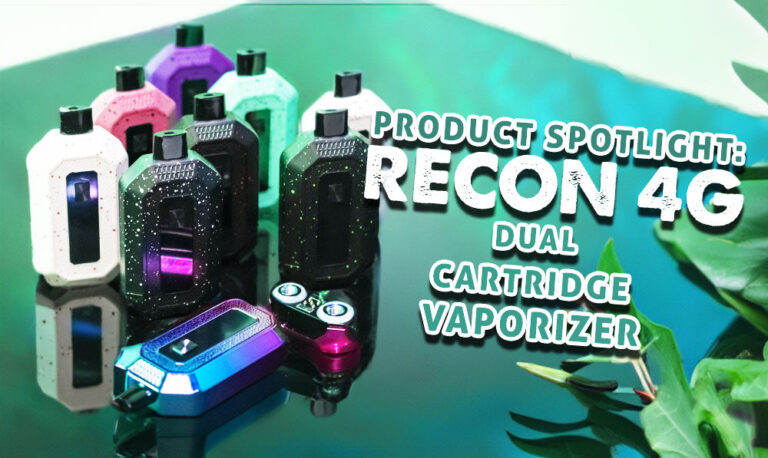
Product Launch
Feast your eyes upon our all new Wulf Recon 4G double cartridge vaporizer! Take a look at our run down of what makes this new g...
Read Resource →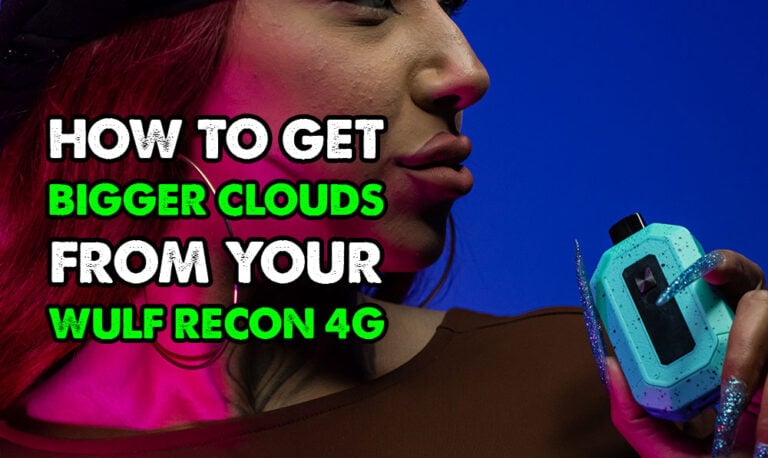
Owners Guide
Want more from your Wulf Recon 4G 510 Thread Battery? Find out how to get bigger clouds with your Wulf Recon 4G with expert tip...
Read Resource →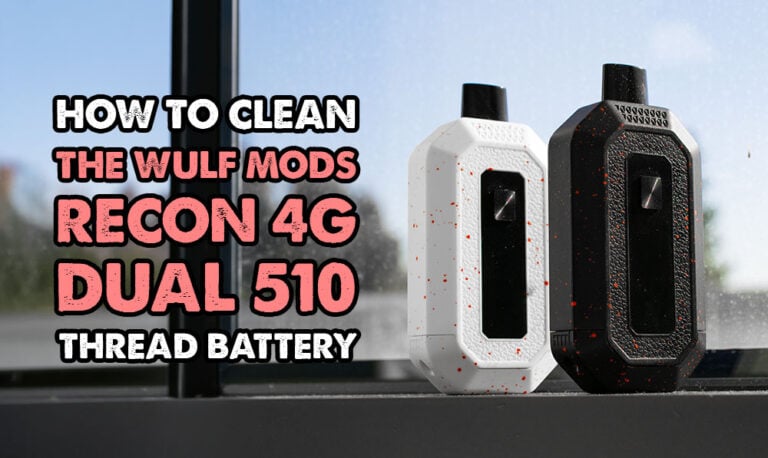
Owners Guide
Follow along with our step-by-step how to clean your Wulf Recon 4G 510 Thread Battery guide here. Learn how you can performance...
Read Resource →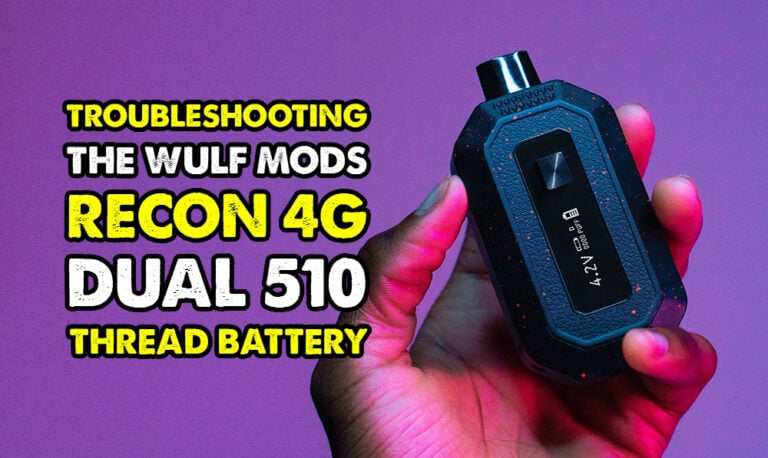
Owners Guide
Experiencing issues with your Wulf Recon 4G 510 Thread Battery? Learn how to troubleshoot common issues and get your Recon 4G b...
Read Resource →